
Overview
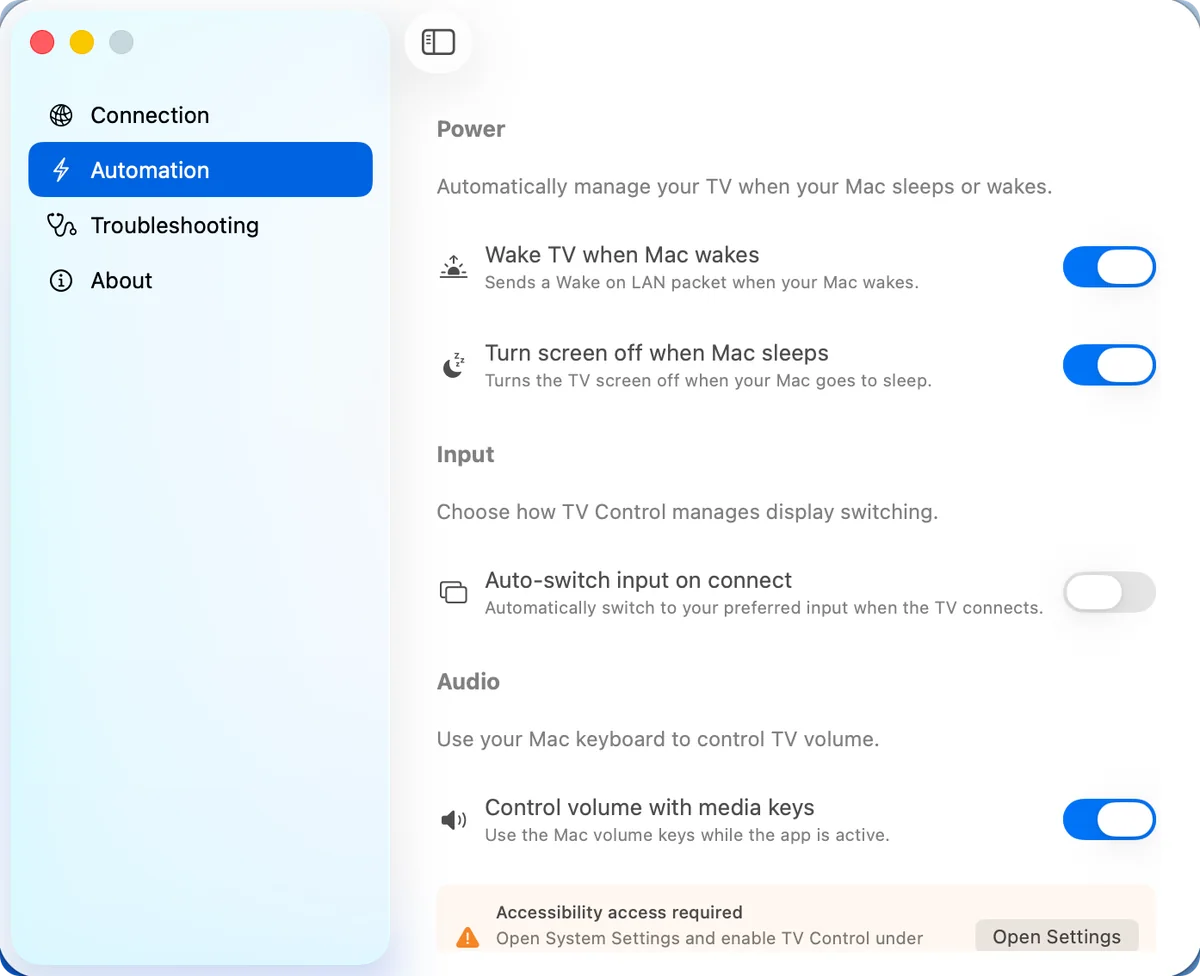
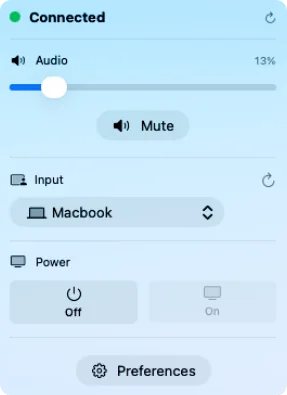
TVControl is a native macOS menu bar app for LG webOS TVs: volume, input switching and power without reaching for the remote. It follows the Mac's own state, waking the TV when the Mac wakes, sleeping it when the Mac sleeps and switching back to the Mac's input. It started as a personal utility for an LG OLED used as a primary display, and is now on the Mac App Store.
- The problem
- Using an LG TV as a Mac display means reaching for the TV remote for volume, inputs and power, and the TV doesn't follow the Mac when it sleeps or wakes.
- My role
- Built and released independently: development, release engineering, Mac App Store distribution, website and ongoing improvements.
Highlights
- 01
Built for the menu bar
Volume from the Mac's own media keys or the menu bar, instant HDMI input switching and power control, without leaving the desk.
- 02
Follows the Mac's lifecycle
The TV wakes when the Mac wakes, sleeps when it sleeps, and returns to the Mac's input automatically. Configure it once and it stays out of the way.
- 03
Setup in under a minute
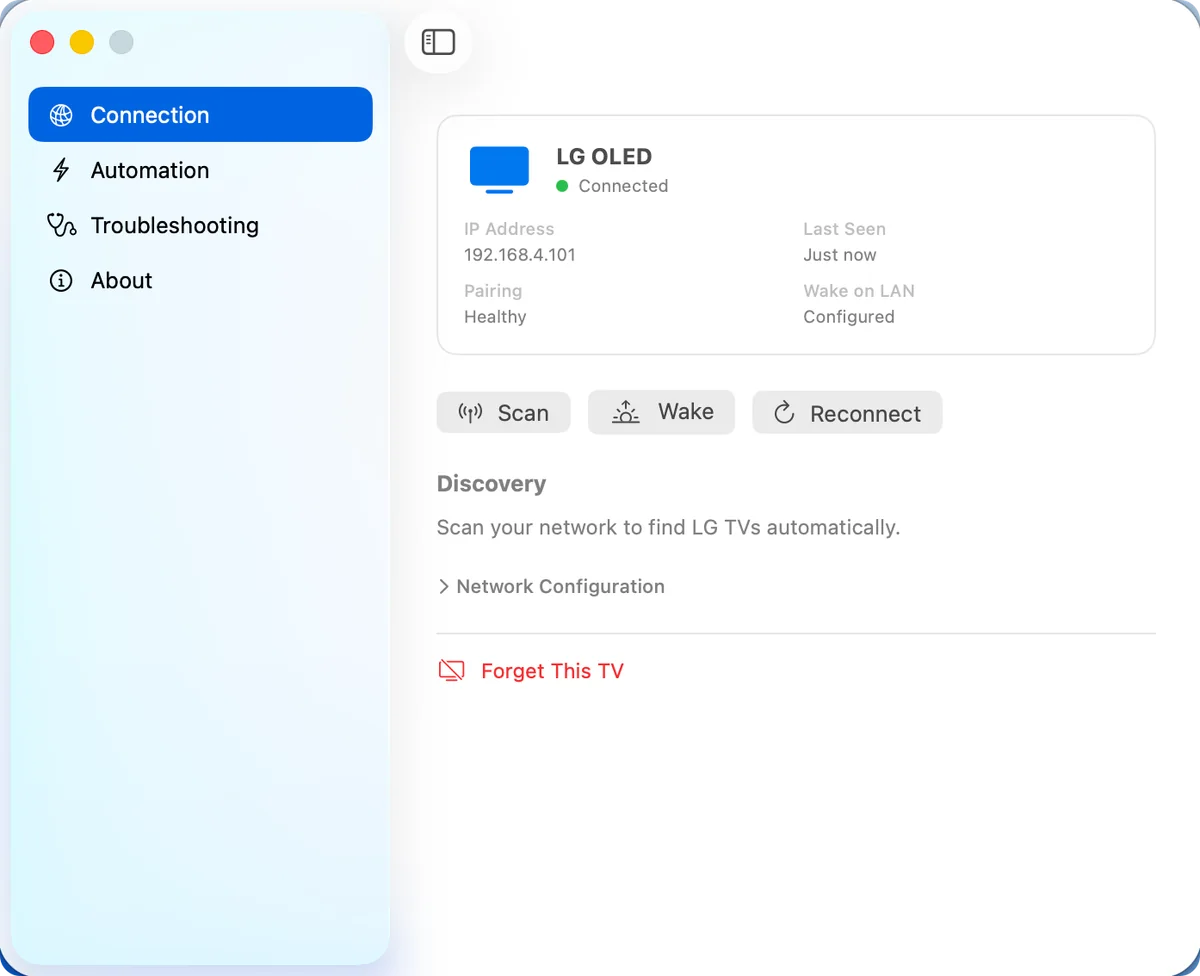
Automatic discovery finds the TV on the network, one click connects, and the TV asks for approval on screen. A manual IP address is there as a fallback.
- 04
Designed to need no attention
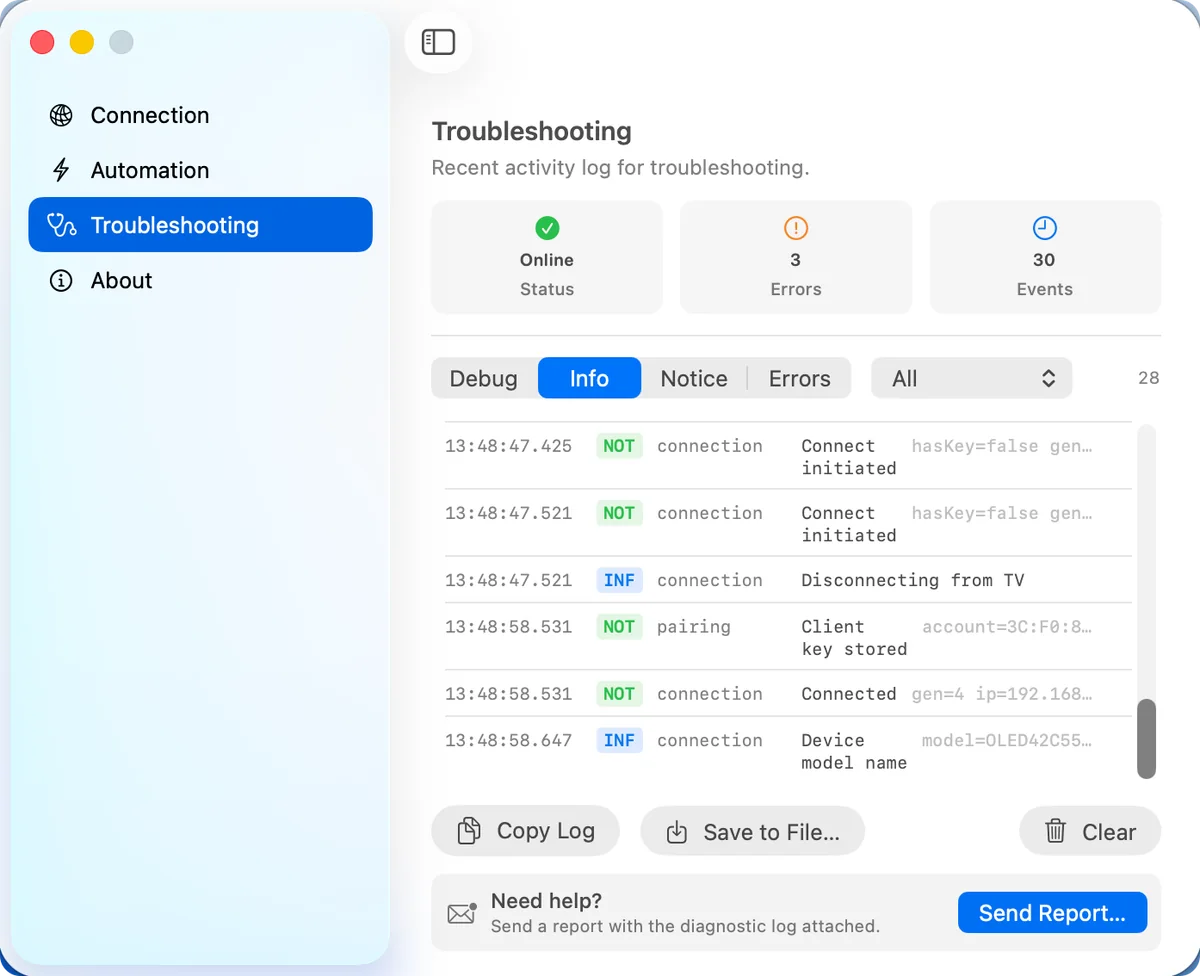
Automatic reconnection, health indicators, a full activity log and one-click support reports, so connection problems are rare and quick to diagnose when they happen.
- 05
Local, private, universal
No accounts, no cloud and no tracking: everything stays between the Mac and the TV. Runs on macOS 13 or later, on Apple silicon and Intel.
Engineering challenges
Following the Mac's lifecycle
Hooking into macOS sleep and wake so the TV powers on, switches to the Mac's input and powers off at the right moments, without the user thinking about it.
A connection that stays healthy
Automatic discovery, reconnection after network changes and sleep, and health indicators, so the app recovers on its own instead of asking the user to re-pair.
Supportable by design
An activity log, diagnostics and one-click support reports, so the rare connection problem can be diagnosed quickly by one developer.
Screenshots
More products
- 01
ControlPad
A trackpad, keyboard and remote for your Mac, with controls that follow the app you're using.
- macOS
- iOS
- iPadOS
- 02
RepSense
Strength training, measured rep by rep. Apple Watch tracks, iPhone guides.
- iOS
- watchOS